Settings - Change Password
Customize your email preferences and change your password
Overview
Here you can choose which emails you want to receive from the system and change your password to secure your account.
Detailed Instructions
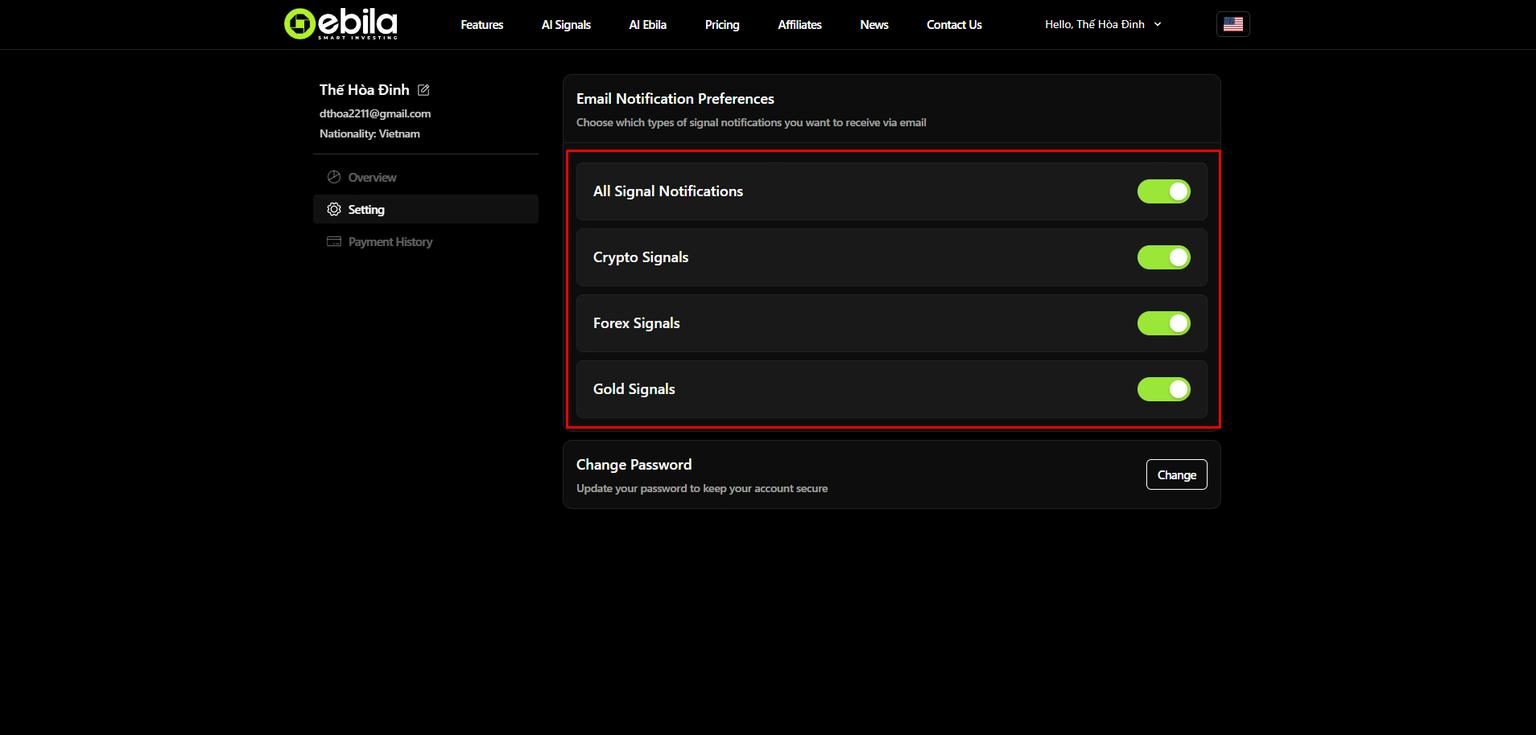
1. Choose which emails you want to receive from the system
By default, when you register a new account, all users will receive all emails from Ebila AI's email system. You can change the content you want to receive by customizing the buttons.
2. Change password
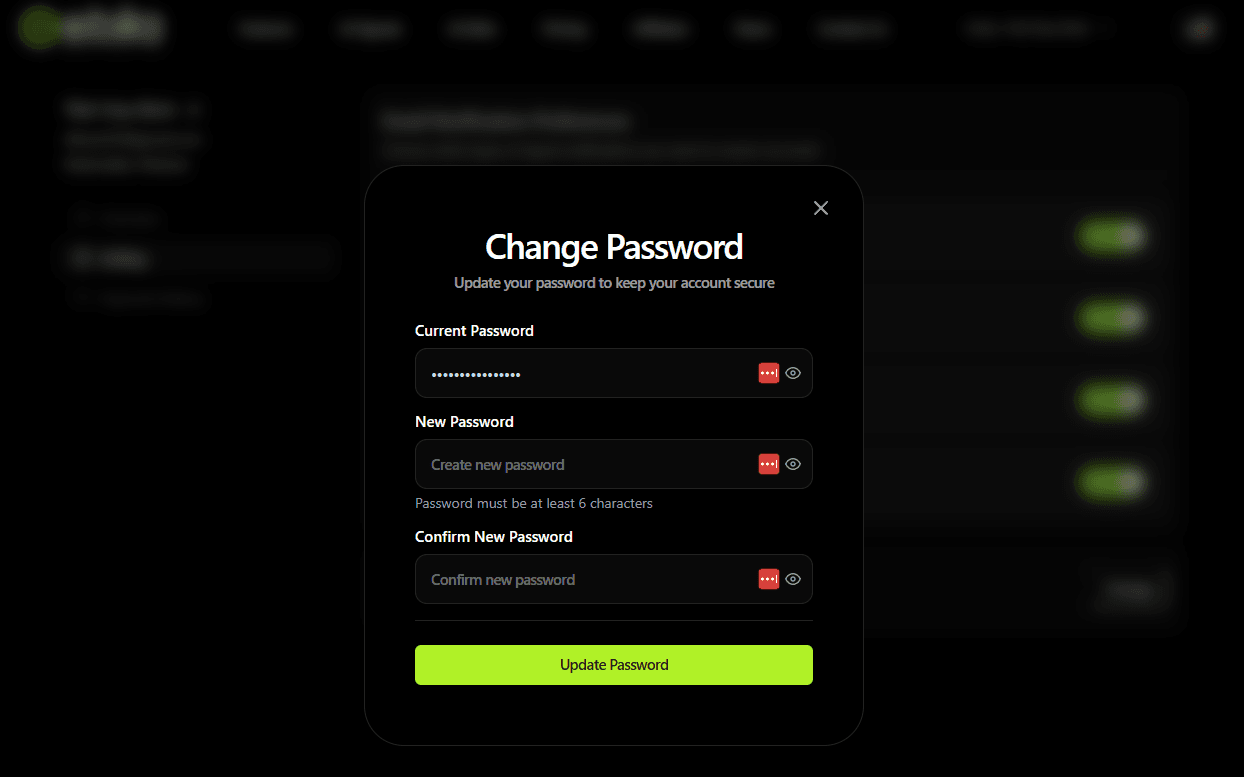
Click on the change password button. A password change form will be displayed. You only need to enter your old password and new password information to change your password.